Choosing between sublimation and screen printing shouldn't feel like a guessing game. Yet most custom t-shirt buyers make that decision with nothing but forum opinions, Custom Activewear Printing supplier sales pitches, and blog posts that all stop before the real numbers show up. This guide is different — built from the production floor up.
Here's what it covers, no matter where you're starting from:
Launching a polyester activewear line that needs edge-to-edge all-over sublimation prints
Scaling a merch brand where plastisol ink screen printing keeps your margins solid
Sourcing 500 branded tees for a corporate event with a three-week deadline
Each scenario has a clear answer. You'll find it across six concrete decision areas. We back each one with actual cost curves, wash durability benchmarks, and a ready-to-use checklist — paste it straight into your next manufacturer conversation.
Fabric Compatibility & Material Constraints
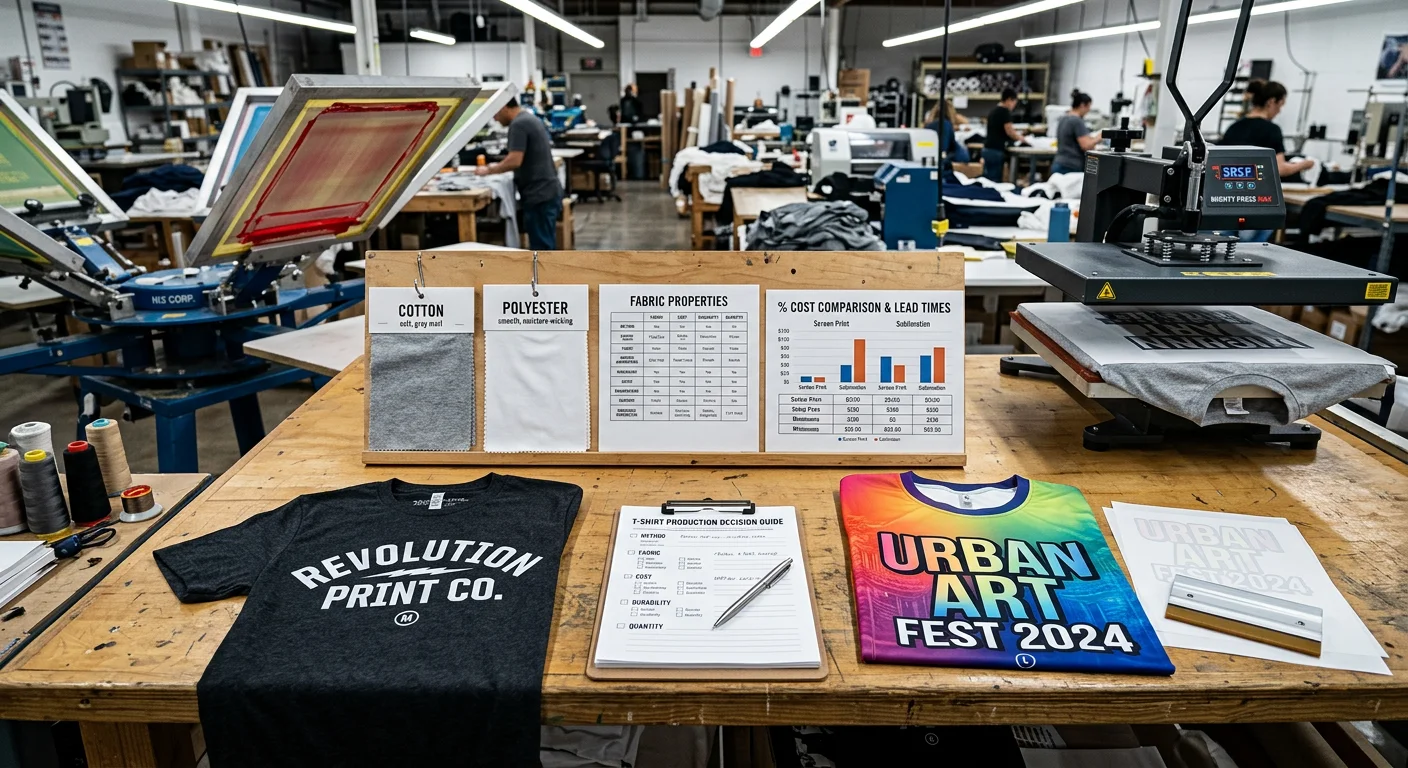
The fabric in your hand right now is already making the decision for you — you just don't know it yet.
Both sublimation and screen printing have hard, chemistry-based limits. Push against them and you don't get a bad print. You get a failed product. Here's where those walls are.
Sublimation: Polyester or Nothing
Sublimation dyes bond to polyester polymer chains . No polymer chains, no bond. That's not a preference — it's molecular chemistry.
The practical thresholds:
100% polyester / 90–100% poly performance wear → Full color depth, permanent bond. This is the sweet spot.
65–85% poly blends → Acceptable results, but expect visibly duller color versus pure poly.
Below 50% poly / 100% cotton → Don't do it. The dye sits on the surface and washes off within 1–3 home laundry cycles.
Base garment color matters just as much as fiber content. Sublimation dyes are transparent . They can't produce white. They can't overpower a dark ground.
White or very light pastels → Full, accurate color gamut.
Light heather gray → Muted, shifted midtones.
Black, navy, dark heathers → Colors become invisible. This is a hard no.
Every production shop specifies white or very light polyester for sublimated tees and all-over prints. Your product vision includes dark colorways? Sublimation isn't your process.
Heat constraints add another layer. Sublimation needs a press temperature of 380–410°F (193–210°C) held for 35–60 seconds . Polyester/spandex blends need extra care. Cap the press at 380°F / 193°C for ≤40 seconds . Go over that and you degrade the elastane and introduce unwanted surface shine. Nylon is another problem. Unless it's specialty pre-coated, it yellows or melts at standard sublimation temps.
Screen Printing: Broader Fabric Range, But Chemistry Still Bites
Plastisol ink sits on top of the fibers rather than bonding into them. That makes screen printing more fabric-flexible. But "more flexible" doesn't mean "anything goes."
Fiber compatibility by ink type:
Fabric | Plastisol | Water-Based Ink |
|---|---|---|
100% cotton | Ideal — full opacity, excellent durability | Best option; ink penetrates and binds |
50/50 cotton/poly | Compatible; use low-bleed plastisols | Possible but needs controlled flashing |
Tri-blend (cotton/poly/rayon) | Soft-hand base required; reduce flash temp | Acceptable on high-cotton versions |
100% polyester athletic | Feasible, but dye migration risk is highest | Not recommended without specialty systems |
Nylon | Requires nylon-bonding additives | Not suitable for most setups |
The biggest real-world problem with screen printing on polyester is dye migration . At cure temperatures of 290–320°F (143–160°C) , disperse dyes inside polyester fibers bleed upward into the plastisol ink layer. You cure a clean maroon graphic. 48 hours later it looks brownish-muddy. That's not a press calibration issue — that's the garment fighting back.
How manufacturers control it:
- Specify low-bleed plastisols or polyester-blocker underbases
- Drop cure temperatures to ~270–290°F / 132–143°C using modern low-cure ink systems
- Avoid over-flashing polyester garments between color passes
Screen printing has one clear advantage over sublimation: it works on dark garments . A flash-cured white underbase with spot colors on top delivers near-full opacity on black or navy cotton. Sublimation can't do that at all. One trade-off to note — heavy underbases add stiffness to the print feel. That matters on lightweight fashion tees.
The Fabric Decision Matrix
Garment Type | Light AOP | Small Logo | Dark Garment | Specialty Effects |
|---|---|---|---|---|
100% poly performance tee | Sublimation | Either (watch bleed) | Screen only | Screen only |
65/35 poly-cotton blend | Sublimation (dull) | Screen + low-bleed ink | Screen + blocker white | Screen only |
100% cotton heavyweight | Not suitable | Screen (any ink) | Screen + underbase | Screen only |
Tri-blend fashion tee | Not suitable | Screen (soft plastisol) | Screen (controlled heat) | Screen (limit thick builds) |
Nylon windbreaker | Coated only | Screen + nylon catalyst | Screen or transfer | Risky; multiple heats |
Failure Modes Worth Memorizing
These aren't edge cases. They show up all the time on production floors when fabric constraints get ignored:
Sublimation on cotton → visible wash-off within 1–3 cycles
Sublimation on dark polyester → print is near-invisible from day one
Plastisol on polyester without dye blockers → color shift appearing 24–72 hours post-cure
Over-curing lightweight blends → fabric glazing, scorch marks, dimensional distortion
Heavy puff or 3D gel on stretchy knits → cracking and shape loss after first wash
Know your fabric before you brief a fitness apparel manufacturer. The substrate isn't a background variable — it's the first decision in the entire production chain.
Unit Cost Volume Curve & Real Pricing Examples
Print cost isn't a fixed number. It's a curve — and the two methods bend in opposite directions as volume climbs.
Screen printing carries real upfront weight. Every color in your design needs its own screen: coating, exposing, washing out, registering on press. For a standard 2-color job, that fixed setup runs $30–$60 before a single shirt is printed — about $15–$30 per color, covering emulsion, film positives or CTS imaging, and setup labor. That cost sits on top of everything else. At 50 pieces, you're spreading $40 in setup across a small batch of shirts. At 1,000 pieces, that same $40 barely registers.
Sublimation works the opposite way. No screens. No films. No registration labor. Your artwork goes through a RIP and prints straight to transfer paper. Fixed setup cost is $0 . What you pay instead is a flat material cost per shirt — ink and paper run $0.20–$0.50 per piece , whether you're printing 50 or 500.
The Real Numbers: Print Cost Per Piece
Here's what the numbers look like on a 1-location, 2-color design (print cost only, blanks not included):
Qty | Method | Unit Print Cost |
|---|---|---|
50 pcs | Sublimation | $0.30/pc |
50 pcs | Screen Printing | $1.15/pc |
200 pcs | Sublimation | $0.28/pc |
200 pcs | Screen Printing | $0.42/pc |
1,000 pcs | Sublimation | $0.25/pc |
1,000 pcs | Screen Printing | $0.14/pc |
Add a $2.00 blank and standard overhead. The all-in unit cost looks like this:
50 pcs: Sublimation ≈ $2.10/pc vs. Screen ≈ $2.85/pc
200 pcs: Sublimation ≈ $1.95/pc vs. Screen ≈ $1.65/pc
1,000 pcs: Sublimation ≈ $1.85/pc vs. Screen ≈ $1.20/pc
The crossover isn't gradual — it's a hard flip somewhere between 50 and 200 pieces.
Where the Break-Even Falls
Design complexity shifts the crossover point. More colors mean more screens and more fixed cost to recover:
1-color design → Break-even around 30–40 units
2-color design → Break-even moves to about 60–100 units
4–6 color design → Setup can hit $80–$150+; break-even lands at 80–120 units
The pattern holds across all color counts. Below your break-even, sublimation wins on cost. Above it, screen printing takes over. At high volume, screen printing's variable cost drops to $0.08–$0.12/shirt — and that gap becomes hard to beat.
Sublimation's material cost doesn't drop the same way. Buying ink and paper in bulk might cut 10–15% off your per-piece cost at scale. That helps, but it's far from the cost drop screen printing delivers. A press running at 400–600 impressions per hour across a 1,000-piece run is a different beast entirely.
The Formula You Can Plug Into Your Own Quote
Got a sports T-shirts supplier quote with setup fees and per-piece pricing? Check their numbers yourself with these formulas:
Screen printing unit cost:
(Fixed setup ÷ Qty) + Variable cost per print
Sublimation unit cost:
Ink + paper per piece (~$0.20–$0.50) + per-piece press labor
Break-even volume (where both methods cost the same per unit):
Solve for Q where: (Fixed setup ÷ Q) + Variable screen cost = Sublimation variable cost
Run this math before you lock in any bulk custom t-shirt order. The break-even quantity is the single most important number in your decision — and most buyers never think to ask for it.
Color Vibrancy, Handfeel & Wash Durability Benchmarks
Three things tell a customer whether a custom tee feels premium or cheap the moment they pick it up: how vivid the colors look, how the print feels under their fingers, and whether both hold up through a year of weekly washing. Sublimation and screen printing land in very different places on all three.
Color Vibrancy: Two Different Mechanisms, Two Different Results
Sublimation doesn't just apply color — it becomes the fabric. The dye turns to gas under heat and bonds into polyester fibers at the molecular level. You get photorealistic gradients, smooth color transitions, and a color range that rivals high-end CMYK printing on paper. No film sits on top. The fiber itself carries the color.
Screen printing with plastisol works the opposite way. Ink sits on top of fibers as a cured polymer deposit. Solid color areas look punchy and opaque — that's plastisol's real strength, particularly on dark garments. Fine gradients and continuous tones need halftone dots or simulated-process builds. You're not getting a photograph. You're getting a clean, sharp reproduction of a graphic.
The bottom line: sublimation wins on gradients and photorealistic artwork. Plastisol wins on flat-color opacity, particularly over dark backgrounds.
Handfeel: Film vs. No Film
This is the most underrated spec in the whole conversation.
Sublimation leaves zero surface deposit . No film, no texture change, no added stiffness. The shirt breathes the same as the base fabric was built to breathe. A performance tee with a full all-over sublimation print feels the same as an unprinted one.
Plastisol builds a detectable polymer film — 0.1–0.4 mm in deposit thickness depending on ink volume, mesh count, and coverage area. On a small chest logo, that's barely noticeable. On a large back graphic with heavy solid fills, you can feel it: raised slightly, warmer to the touch, and less drapey than bare fabric. Water-based inks get closer to "no handfeel," but still register on high-coverage prints.
Flag this spec with your sports T-shirts manufacturer: anything over 0.4 mm film build on a fashion or performance tee falls outside the premium handfeel standard.
Wash Durability: What the Numbers Say
Method | Typical Wash Life | Primary Failure Mode |
|---|---|---|
Sublimation (100% poly) | Lifetime of garment | UV fade + fabric wear, not ink flaking |
Plastisol screen print (fully cured) | 50–100 domestic washes | Micro-cracking; edge lift on large solid areas |
Plastisol screen print (under-cured) | < 30 washes | Premature cracking and ink loss |
Water-based screen print | Good, but variable | Less crack-resistant than thick plastisol |
DTF transfer | 50+ washes | Film edge lift if applied or cured incorrectly |
Sublimation's durability advantage is structural. There's no surface film to crack, peel, or lift. Color loss only happens as the polyester fiber itself breaks down — through UV exposure, abrasion, and fabric fatigue over time. That's a different failure mode altogether, not a print separating from a shirt.
Plastisol durability comes down to one thing: the cure . Hit the right temperature — 320–330°F (160–166°C) through the full ink deposit — and a plastisol print holds 50–100 domestic washes. Miss that cure? The polymer chains never cross-link properly. Cracking shows up before 30 washes, sometimes well before. This is the single most common QC failure in screen-printed apparel. Worse, it's invisible at the point of delivery.
The wash standard to put in writing: request that plastisol prints meet ISO 105-C06 / AATCC 61 wash fastness grade ≥4 and confirm that cure temperature is logged per production batch. A supplier that won't provide that documentation — that's your answer right there.
Red Flags to Catch Before You Sign Off
Sublimation: Color that looks muted or grayish on delivery means dye migration from insufficient press time or a low-poly base fabric. It won't improve.
Plastisol: Visible micro-cracking during QC inspection, before a single wash , is an under-cure failure. Reject the batch.
Any method: Softness that fades within 10–20 washes points to a temporary softener finish on the blank, not a permanent one. Check with your blank activewear supplier whether the finish is rated for 50+ cycles.
Color consistency: Premium work targets a shade variance of ΔE ≤ 1.5 across a production run. Mass-market tolerance sits at ΔE ≤ 3 . Know which tier you're buying before you approve samples.
MOQ Structures, Throughput & Delivery Timelines
Production economics don't live in a vacuum. Three variables shape everything: the MOQ your supplier requires, the speed of their press or printer, and the gap between "approved artwork" and "delivered cartons." These three numbers drive your cash position, your inventory risk, and your ability to react fast when a design takes off.
The two methods operate on opposite ends of the production spectrum.
Minimum Order Quantities: Opposite Ends of the Spectrum
Sublimation has no real MOQ floor. True print-on-demand runs at 1 piece per order . Micro-batch retail testing lands at 5–30 pieces per SKU — enough to validate a colorway without tying up warehouse space or working capital. Offshore cut-and-sew sublimation batches start around 100–300 pieces , but that's a sourcing choice, not a technical limit.
Screen printing works the other way. The setup work — artwork separation, screen coating, exposure, registration — costs money before the press prints a single shirt. That's why MOQ floors exist:
Run Size | Typical MOQ Tier | Notes |
|---|---|---|
Local / small-run | 24 pcs minimum | Covers basic setup recovery |
Standard pricing | 50–100 pcs | Most common bracket for custom orders |
Wholesale optimization | 300–1,000+ pcs | Setup cost becomes negligible per unit |
Screen printing below 24 pieces isn't impossible. It's just a bad deal financially. You end up spreading $40–$150 in setup costs across too few shirts.
Throughput & Production Windows
Sublimation runs on a short-cycle model. No screens to coat, no registration to dial in. Stock-item orders ship in 3–7 business days . Rush production cuts that to 7–14 days , and you'll pay a 15–25% production premium for the speed. That fast turnaround is the method's core strength. It's why POD sellers default to sublimation — fulfillment SLAs under two weeks are easy to hit.
Screen printing takes longer. The setup steps eat time no matter how many pieces you're running. A standard run lands in the 5–10 business day range after artwork approval, screen burning, and press registration. Large bulk custom t-shirt orders — 1,000+ pieces — push production out to 30–40 days before a single carton ships.
Total Delivery Time: Don't Forget the Shipping Leg
Production time and delivery time are two different numbers. Don't mix them up. A small sublimation order to the US West Coast breaks down like this:
15–25 days production + 18–25 days ocean shipping = 33–50 days total
Build that full gap into every purchase order. Here are the lead time benchmarks you need:
Stock items / POD: 3–7 days production
Rush small batch: 7–14 days production
Standard order (50–300 pcs): 15–25 days production
Medium batch (300–1,000 pcs): 20–30 days production
Large bulk run (1,000+ pcs): 40–60 days production
Cash Flow Is the Hidden Variable
Sublimation supports zero-stock, just-in-time fulfillment. You skip blank inventory entirely. No pre-commitment to colorways. No warehouse space for shirts that haven't sold. Your cash stays free until an order comes in.
Screen printing demands the opposite approach: bulk blank procurement upfront , physical storage, and working capital locked into inventory before a single unit ships. At 1,000 pieces, that's a serious cash commitment — and it stings hard if the design underperforms.
The practical framework:
Proving a new design? Start with sublimation at 5–20 units. Zero inventory risk.
Validated design, moderate volume? Either method works at 50–100 units. Run the cost-break-even formula from the previous section.
Proven seller, scaling to 300–1,000+ units? Screen printing's unit economics take over. At that point, your MOQ, cash position, and storage capacity all need to be part of the conversation with your manufacturer.
Design Complexity Adaptation & Pre-Press Workflow
Your artwork file is where the real cost difference between these two methods becomes clear — before a single shirt gets printed.
Sublimation: Complexity Costs You Nothing Extra
Here's what sublimation pre-press actually looks like in practice: a 50-color photographic gradient and a single-color logo take almost the same time to process. The RIP software builds one composite raster file. It doesn't matter how many colors or transitions your design has. No manual separation work. No per-color screen to build. No Pantone ink to mix.
The pre-press steps are simple:
Preflight check — resolution at 300 dpi at final print size , trim and bleed
Assign or convert the ICC profile (RGB or CMYK → printer color space)
Mirror the image at the RIP stage so it reads right after heat transfer
RIP to composite device data (CMYKcmyk or expanded gamut)
Nest and queue for printing
Adding more colors doesn't add steps. Cost comes from ink coverage and press time — not design complexity. Under 200 units, a full photorealistic all-over print costs about the same per piece as a simple one-color box logo at the same coverage size.
One firm limit: sublimation gives you flat, 2D color — full stop . No raised texture. No metallic flake. No puff or high-density effects. Want a "metallic" or "embossed" look? You simulate it through the artwork itself. The surface stays smooth no matter what.
Screen Printing: Every Color Adds Real Time and Real Cost
Screen printing pre-press runs on a completely different logic. Each color needs its own physical screen — coated, exposed, washed out, dried, and registered on press. One extra color adds 30–60 minutes of setup time in a standard shop, before the press touches a single shirt.
Pre-press steps per color:
Preflight vector art — spot colors separated, no unintended CMYK blends
Build trapping : 0.1–0.25 mm choke/spread between abutting color areas to prevent visible gaps from registration shifts
Build halftone screens for any gradients or tints (line screen angle matters here)
Output one film or CTS file per color
Prepare the job ticket — mesh count, off-contact distance, squeegee angle, and ink order
Registration tolerance on apparel presses sits around ±0.25 mm . That has real design consequences. Skip hairlines, ultra-thin outlines, and micro-text that spans multiple color layers. These details will misregister in production.
There's a complexity ceiling: past 8–10 colors (counting underbase and specialty effects), screen printing on apparel only makes financial sense at several hundred pieces minimum. Detailed photographic artwork gets simplified to 4–7 process or spot colors . Fine tonal transitions tend to band at standard screen rulings.
So where does screen printing win on complexity? Physical special effects. Metallic flake inks, high-density puff (up to 1–3 mm raised print ), glow-in-the-dark, crackle finishes — each needs a dedicated screen and ink system. The results are tactile. Sublimation can't touch them.
The Practical Decision Rule
Design Type | Sublimation Pre-Press | Screen Printing Pre-Press |
|---|---|---|
Photorealistic / full-color gradients | ✅ Single RIP pass, low overhead | ❌ Complex halftone builds, high reject risk |
1–3 flat spot colors | Workable, but overkill | ✅ Straightforward, fast setup |
All-over pattern, edge-to-edge coverage | ✅ Native format | ❌ Impractical at most volumes |
Metallic, puff, or texture effects | ❌ Simulation only | ✅ Purpose-built ink systems |
Artwork with fine outlines under 1 pt | ✅ Raster handles cleanly | ⚠️ Registration risk across colors |
Your design has gradients, photography, or complex color blends? Go sublimation. Pre-press is faster, cheaper, and lower risk. Your design is clean vector graphics with 1–6 colors and you need physical texture or true Pantone matching? Screen printing's per-color setup cost is worth it — at the right volume.
Commercial Scenario Matching & Application Suitability
The printing method you choose should match your business model — not just your fabric.
Every commercial scenario has its own logic: who's buying, how many they need, and what success looks like at delivery. Match those three variables, and the right method becomes clear.
Startup & Small-Label Deployment
Sublimation is the go-to choice for early-stage brands. Run 30–50 design variations with zero inventory risk. It's how you test athleisure drops, full-bleed jersey graphics, and all-over pattern plays before putting cash behind any single direction.
Your assortment stabilizes. Cotton streetwear styles hit 200+ units per SKU . At that point, shift those core styles to screen printing . Setup costs spread out at that volume, and your unit economics get much tighter.
DTG fills the gap between the two. It handles small-batch cotton runs where you need one-off or short-run flexibility before locking into screen setups.
Ecom & Established-Brand Optimization
Keep sublimation running for seasonal all-over collections and any performance-fabric expansion. For validated core SKUs on cotton, moving to screen printing at scale cuts unit costs by 30–40% . That's real margin — not a rounding error.
Use DTG for catalog expansion. New cotton SKUs need low minimums and fast turnaround. DTG gives you both.
Corporate Procurement & Event Planning
Scenario | Best Method | Why |
|---|---|---|
500+ logo tees, 1–2 colors, dark cotton | Screen printing | Opaque underbase, lowest unit cost |
Sports tournaments, team uniforms, moisture-wicking poly | Sublimation | Edge-to-edge numbering, fast digital proofing |
Small event, cotton, quick personalization | DTG | No screen setup required |
Quick-Match Decision Rules
Polyester or performance fabric → sublimation
Cotton, small batch or test-stage → DTG
Cotton, simple spot color, large run → screen printing
All-over or edge-to-edge graphics → sublimation
Scaling a proven seller, unit-cost reduction is the goal → screen printing
8 Critical Parameters to Confirm With Manufacturers

Most print orders go wrong before the press ever runs — not during production. The problem is the conversation that didn't happen. All the questions the buyer never asked.
Before locking in any manufacturer, get these eight parameters in writing. Not a verbal nod. Not "we do that all the time." Written, dated, and attached to your purchase order.
1. Ink & Substrate Compliance
Ask for OEKO-TEX or REACH certification, plastisol VOC limits, and dye-migration controls for poly blends. Get written ink shelf-life guarantees too. This is your safety and consistency baseline — no exceptions.
2. Color Matching Protocol
Request physical strike-offs on the exact garment batch you're buying. Not a stock sample. Not a digital proof. Set the acceptable color range before production begins. For screen printing, lock in ΔE ≤ 3 . For sublimation, check against the approved ICC profile from a calibrated output device.
3. Wash Durability Standards
Ask for documented AATCC 61 / AATCC 135 test reports. They should show the minimum pass criteria clearly. Standard targets are 50 wash cycles crack-free for screen prints and 500+ cycles fade-resistant for sublimation. No test documentation means no credibility.
4. MOQ & Tier Pricing
Get clear price brackets at 50, 100, 300, 500, and 1,000 units . Ask whether mixed colors or designs count toward one MOQ threshold — or trigger separate SKU pricing. That one question can save or cost you hundreds of dollars per order.
5. Hidden Fee Schedule
Request a written fee sheet. It should cover screen reclamation, emulsion waste, color-change surcharges, sublimation paper overage, and digital artwork separation. These line items often hit your landed cost harder than the base unit price.
6. Production SLA & Penalty Terms
Put the delivery window in the contract. Set late-shipment penalties — 1–2% per day is a fair standard. Also, keep rush capacity separate from the normal production queue. Priority orders need their own lane, or they'll get buried in standard lead times.
7. Blank Fabric Tolerances
Confirm GSM variance (±5%) , post-wash shrinkage under 5%, pre-shrink treatment status, and fiber-content certification accuracy. These specs shape how your print looks — and whether your size chart still holds after the first wash.
8. Defect & Rework Policy
Set a defect ceiling at under 2% . Define what triggers a mandatory reprint or replacement — misregistration, major color shift, ink cracking on delivery. State clearly who pays return freight when the fault is theirs.
The Supplier Checklist: Five Document Buckets
Evaluating a new manufacturer? Break your due diligence into five buckets:
Bucket | What to Request |
|---|---|
Certification | OEKO-TEX, REACH, fiber-content docs, restricted-substance declarations |
Test Evidence | AATCC wash reports, crack resistance results, shrinkage data |
Artwork Control | Approved strike-off, Pantone reference, ICC profile, sign-off batch ID |
Commercial Terms | MOQ by quantity band, setup fees, reprint rules, freight allocation, delay penalties |
Operational Capacity | Standard and rush lead times, daily output ceiling, partial shipment policy |
A reliable custom T-shirts supplier who calls any of this "too detailed" is showing you how they'll handle problems after your payment clears.
Cost-Quality-Lead Time Triangle Decision Framework
Every print decision sits inside a triangle. Push too hard on one corner — lowest cost, best quality, fastest delivery — and the other two move. Use the framework below to make that trade-off clear. Stop guessing. Start choosing.
Three axes. Three questions:
Cost : Is unit price or setup cost your main limit?
Quality : Does your artwork need photo-grade gradients, opaque spot color, or physical texture?
Speed : Are you working with days or weeks?
Here's how each combination plays out:
Scenario | Winner | Why |
|---|---|---|
<30 pcs, full-color, polyester, 48 hrs | Sublimation | Zero setup, fastest digital route |
100–300 pcs, cotton, 1–3 colors, 7+ days | Screen printing | Setup cost spreads out, unit price drops |
500+ pcs, margin-critical, spot colors | Screen printing | Automatics hit 600–1,000 impressions/hour |
Test drop, zero inventory risk | Sublimation/POD | No bulk commitment required |
The rule that cuts through everything : substrate and volume decide 80% of your choice. Quality and speed come after. Polyester with complex art points to sublimation. Cotton with solid volume points to screen printing. The rest is just fine-tuning.
Conclusion
Every print job tells a story before the first shirt leaves the warehouse. Pick the wrong process, and that story gets expensive fast.
Here's what the production floor teaches you:
Sublimation wins on polyester — use it when design complexity and all-over coverage are the priority.
Plastisol ink screen printing wins on cotton — use it when volume goes past 200 units and brand colors need to stay consistent, wash after wash.
Neither method is better across the board. The fabric in your hand and the number on your purchase order make the call.
You now have the cost curves, the wash durability benchmarks, and the 8-parameter checklist. Take those into any activewear manufacturer conversation. You won't leave money on the table.
Use the Cost-Quality-Lead Time triangle as your go-to filter. Run every new order through it before you commit.
One last thing worth keeping in mind: the best printing method is the one your customer never thinks about — because the result just looks right.